
Start with the work—not the label. “High priority” should explain why an assignment needs attention ahead of another, rather than simply repeat that someone considers it important.
This guide provides a priority matrix, four task priority levels, worked examples and a copyable task prioritisation template. The definitions and review schedule are proposed team conventions, not universal standards or built-in Xync settings.
Assess the Work Before Assigning Priority
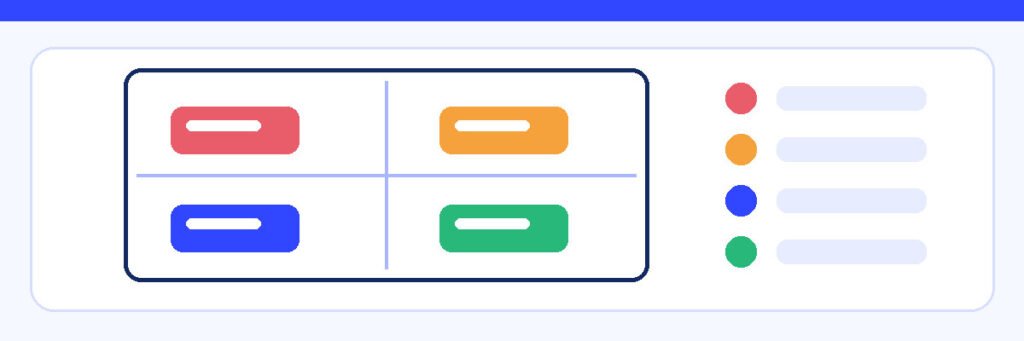
Urgency and importance are different considerations. An urgency–importance matrix separates work that requires immediate attention from important work that needs planned time. Atlassian describes this distinction in its planning and prioritisation guidance.
For the framework below, use business impact to explain why the work matters. Then check dependencies and the actual consequence of waiting.
Urgency: When Must Action Begin?
Look beyond the final deadline. Consider the time needed to obtain information, perform the work and complete any required review.
Use these working definitions:
| Urgency | Working definition |
|---|---|
| High | Action needs to begin now or before the next normal planning opportunity to preserve the required outcome. |
| Medium | Work needs attention in the upcoming planned work period, with some flexibility about its exact starting point. |
| Low | Work can be scheduled later without a currently identified consequence for the agreed outcome. |
A later deadline does not automatically mean low urgency. An assignment requiring preparation and review may need an earlier start than a short task due sooner.
Business Impact: What Outcome Is Affected?
Describe what the task enables or protects.
For this framework, treat impact as high when delay would block an essential activity or threaten an important delivery commitment. Treat it as medium when a named deliverable or team activity is affected but a workable alternative exists. Use low when the current consequence is limited, such as a presentation improvement that does not change how a document is used.
Support the assessment with a specific explanation. “Needed to prepare customer instructions before launch” provides more context than “important administration”.
Dependencies: What Other Work Is Waiting?
Check both directions: what this task needs before it can proceed, and what other work needs from it.
Atlassian’s team-prioritisation guidance specifically includes dependencies on information and resources from other people or departments. Assessing the task in isolation can miss that wider context.
In your assessment, include the consequence for dependent work. A brief confirmation may deserve attention because a much larger activity cannot proceed without it.
Consequences: What Happens If the Task Waits?
Complete this sentence:
If this task waits until the next work period, the consequence will be…
Use the answer to check your urgency and impact ratings. Do not add the same consequence several times as separate “points”.
Where the consequence is unknown, assign someone to clarify it. Lack of information is not evidence that the task is unimportant.
A Practical Task Priority Matrix
Use this matrix as a starting point for discussion. Read across from the task’s business impact to its urgency.
| Business impact | High urgency | Medium urgency | Low urgency |
|---|---|---|---|
| High impact | P1 — Immediate | P2 — Next | P3 — Planned |
| Medium impact | P2 — Next | P3 — Planned | P3 — Planned |
| Low impact | P3 — Planned | P3 — Planned | P4 — Deferred |
These mappings are proposed for this guide. They are not an externally validated scoring system.
Before accepting the suggested level, check the dependency and reason. A task described as low impact may have been rated incorrectly if it blocks an essential activity.
Also distinguish priority from execution order. A short P3 assignment can fit into an available work period before a scheduled P2 task, provided it does not jeopardise the higher-priority commitment. The priority level should guide trade-offs, not prevent sensible scheduling.
Define What Each Priority Level Means
Agree on the working response for each level before applying it across a shared task list.
| Priority level | Meaning | Required working response |
|---|---|---|
| P1 — Immediate | A significant consequence requires action now, or an essential activity is blocked at a time-sensitive point. | Confirm the immediate action, responsible person and next checkpoint. Explicitly decide which other commitments must change. |
| P2 — Next | Important work needs the next suitable planned opportunity, or a time-sensitive task has a meaningful but more limited consequence. | Protect time for the work, resolve dependencies and confirm that its deadline remains achievable. |
| P3 — Planned | Useful work has an agreed outcome and timeframe, without a current reason to interrupt higher-priority commitments. | Schedule it, maintain ownership and reassess it before its latest useful starting point. |
| P4 — Deferred | The task can wait without a currently identified material consequence. | Record why it is deferred and when it will be reconsidered. Remove it only through an explicit decision that it is no longer required. |
P1–P4 do not define response-time help. “Immediate” means the team needs an immediate decision or action; it does not promise that every P1 task can be completed immediately.
Likewise, P3 does not mean optional. Important future work can be planned rather than urgent, provided it receives a realistic place in the schedule.
Worked Example: Prioritising an Operations Team’s Tasks
Illustrative example—not customer data or a Xync product demonstration.
Assume an operations team is reviewing its work on Monday morning. The following ratings depend on the circumstances described.
| Task | Owner | Deadline | Urgency | Business impact | Dependency | Agreed priority | Reason |
|---|---|---|---|---|---|---|---|
| Confirm the address for today’s shipment | Delivery coordinator | Monday, 10 a.m. | High | High | Dispatch cannot proceed without confirmation | P1 — Immediate | The missing address blocks an important delivery commitment, and the dispatch window closes this morning. |
| Prepare instructions for next week’s service launch | Operations lead | Thursday, 3 p.m. | Medium | High | Review and staff briefing follow preparation | P2 — Next | Preparation needs protected time this week so the following activities remain achievable. |
| Update reference labels in an internal checklist | Team administrator | Friday | Low | Low | No current activity is waiting on the change | P4 — Deferred | The requester confirms that Friday is a preferred date, not a delivery commitment. Reconsider at Thursday’s review. |
| Prepare next month’s staffing requirements | Team manager | End of next week | Low | High | Later scheduling decisions will use the completed requirements | P3 — Planned | The work matters, but a protected starting slot next week leaves enough time to complete it. |
The staffing task illustrates why importance should not be confused with immediate urgency. It receives a scheduled commitment, not a permanent place at the bottom of the list.
The checklist-label task illustrates why the team should clarify a deadline before changing priority. Deferral is reasonable in this example because the requester has confirmed that the date is flexible.
How a Changed Dependency Affects Priority
Suppose the service-launch instructions become blocked because the required contact information has not arrived.
Do not simply keep repeating that the instructions are P2. Identify the enabling action: obtaining the missing contact information from its responsible person.
Assess that action against the remaining preparation and review time. It may require earlier attention than the drafting work itself.
Keep the original task’s priority and its recorded status separate. An important assignment can be blocked; another person may need to act before its owner can continue.
Copyable Task Prioritisation Template
Copy this table into your shared document or spreadsheet. Add one row per assignment and replace the empty cells with your team’s information.
| Task | Owner | Deadline | Urgency | Business impact | Dependency | Agreed priority | Reason for that priority |
|---|---|---|---|---|---|---|---|
Write the expected outcome in the task description. In the dependency field, identify both missing inputs and work waiting on the task’s output.
Keep an accompanying note of when the priority was agreed, who made the decision and when it should next be reviewed.
These assessment fields belong to the working template. They are not a claim that every column exists as a separate Xync control.
How to Complete the Template
Define the assignment first. Name the deliverable and responsible person. Separate unrelated activities when they have different owners, consequences or deadlines.
Check the deadline. Establish whether it is an agreed commitment, an internal planning date or a preference. Include preparation and review time when assessing urgency.
Rate urgency and impact. Apply the definitions above, then examine the dependencies and consequences behind the ratings.
Agree the level and reason. Use the matrix as a starting point, not as a substitute for judgement. Record why the task should receive attention before or after competing work.
Choose the next action. Begin, schedule, unblock or defer the task. Check that the owner has the time and information needed for that action.
A completed priority column is not enough. Each active task should have a practical next commitment.
Who Can Change a Task’s Priority?
Set a clear working agreement about priority decisions.
As a starting arrangement, let the task owner flag changed circumstances and propose a new level. Give the manager responsible for the shared task list responsibility for resolving conflicts between assignments.
When several departments are affected, involve the owners of the dependent work before changing a commitment.
For each material change, record the previous level, new level, reason and effect on other work.
Illustrative priority-change note:
The service-launch instructions have moved from P2 to P1 because the staff briefing has been brought forward and the draft is now required this afternoon. The team manager has agreed to move the internal checklist update. The operations lead owns the revised draft commitment.
This describes a management decision. It does not imply configurable permission levels, automatic reprioritisation or an approval workflow in Xync.
For the ownership and update routine around these decisions, see How to Track Employee Tasks Without Micromanaging.
Set a Review Cadence That Fits the Work
Priorities need reconsideration as circumstances change. Atlassian’s prioritisation guidance recommends daily or weekly reassessment depending on how quickly the working environment moves.
The following schedule is a suggested starting arrangement—not a required frequency or automated product behaviour.
| Review point | What to check | Decision to record |
|---|---|---|
| When a task enters the shared list | Expected outcome, owner, timing, impact and dependencies | Initial priority, reason and next action |
| At the start of each working day for active, time-sensitive work | New blockers, changed commitments and tasks approaching their latest useful start | Whether the immediate work order needs adjustment |
| At a weekly planning review | Upcoming deadlines, owner availability and time protected for important future work | The next period’s commitments and any displaced assignments |
| When a material change occurs | Changed scope, unavailable resources, a delayed dependency or a missed deadline | Revised priority and who needs to know |
| On the review date agreed for deferred work | Whether the task still has value or has become time-sensitive | Activate, continue deferring with a new review date, or remove with an agreed reason |
Do not make every review a meeting. Use the shared record for straightforward confirmations and discuss the decisions that need agreement.
Avoid repeatedly moving P3 work aside without reconsidering its delivery date. At the weekly review, check whether the planned starting point still leaves enough time to finish.
Resolve Conflicts Without Marking Everything P1
When several tasks compete for the same person, compare their consequences and latest useful starting points.
Ask which activity is genuinely blocked, whether another person can perform the enabling action and which commitment will be affected by a delay.
If the available capacity cannot meet every requirement, make the trade-off explicit. Agree a change to scope, timing or responsibility and inform the affected people.
Do not leave task owners holding several incompatible “immediate” commitments.
Also keep overdue status separate from priority. An overdue task needs its current impact and recovery needs assessed; its age alone should not decide whether it displaces other work.
Using Agreed Priorities in Xync
Xync supports priorities within structured task records, alongside responsible-user assignment, deadlines, recorded status, comments and associated files, subject to current permissions and configuration.
Use Xync Task Management ,Overdue Tasks, Task vs Project vs Workflow to assess how those functions support your agreed working method. The matrix, P1–P4 definitions and review schedule in this article should not be treated as a built-in prioritisation engine or template.
Start with the team’s current assignments. For each one, agree the reason for its priority and the action that should follow.
Frequently Asked Questions
How do I prioritise tasks when everything seems urgent?
Ask what happens if each task waits and what other work depends on it. Compare those consequences with the time needed to deliver. Where the same person cannot meet competing commitments, the responsible manager should agree what comes first and what must change. Do not use P1 as a substitute for making that decision.
What is the difference between urgent and important tasks?
Urgency concerns how soon action is needed. Importance concerns how much the outcome matters. An important task may need protected future time rather than an immediate interruption. An urgency–importance matrix helps separate these considerations before deciding what to do, schedule or assign elsewhere.
What do P1, P2, P3 and P4 mean?
In this framework, P1 means Immediate, P2 means Next, P3 means Planned and P4 means Deferred. They communicate the agreed level of attention. These definitions are proposed conventions for the team using the guide, not universal response times or help Xync settings.
How should I prioritise tasks with the same deadline?
Compare the consequences of delay, dependent work and the time each task needs. Identify which must begin earlier to remain achievable. When both cannot be completed, agree an explicit change rather than assuming that identical deadlines mean identical priority.
Can I use this task priority template in a spreadsheet?
Yes. Copy the table into a shared spreadsheet and add your assignments. Agree who maintains each row and where priority-change notes belong. The template is intended for manual team use; it does not depend on formulas, an integration or a built-in Xync template.
How often should I update a task priority matrix?
Use the suggested cadence as a starting point: review active time-sensitive work daily, the broader plan weekly and individual tasks when relevant circumstances change. For slower-moving work, reduce the routine frequency while retaining event-driven reviews. Daily or weekly reassessment should reflect the pace of the work, not a fixed rule applied to every team.


