
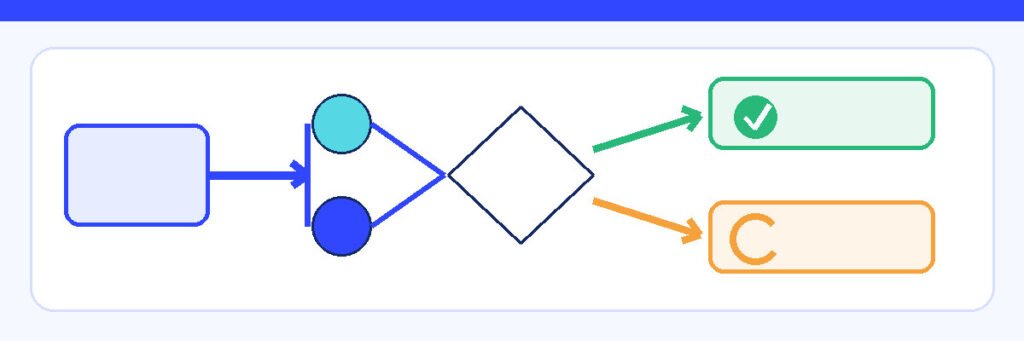
Start with the decision—not the software. A request should make it clear what someone is being asked to approve, which information they should assess and what their decision allows to happen next.
This guide explains how to design that process, handle exceptions and maintain a useful decision record. It includes practical approval workflow examples and a checklist you can apply to your own business process.
What Is an Approval Workflow?
An approval workflow is a defined process for submitting a request, reviewing it against agreed criteria, obtaining an authorised decision and communicating the next action.
Keep three activities separate:
Review examines the request and identifies findings, questions or recommended changes. Approval gives permission for a defined action or outcome. Execution carries out what has been approved.
For example, someone might review a customer instruction document for accuracy. Another person may authorise its release, and a publishing owner may then make it available to customers.
Completing the review does not necessarily authorise publication. Recording approval does not prove that publication has happened. Your workflow should explain who owns each activity and how responsibility moves between them.
Why Businesses Need Approval Workflows
Use an approval workflow when a request needs a clear decision before work proceeds. Design it to answer the questions that would otherwise require repeated clarification.
Who has the authority to decide? Name the appropriate decision-maker rather than sending a request to several people and assuming someone will take responsibility.
What information is needed? Give the requester a submission standard so they can prepare the details, documents and explanations required for review.
What does the decision permit? Record the approved scope and relevant version. “Approved” should not leave the next person guessing whether the decision applies to a draft, a revised proposal or only part of the request.
What happens when the request cannot proceed? Give missing information, disagreement, absence and revisions a defined response.
Not every task needs formal approval. Add an approval stage where an authorised decision is necessary, not simply because another person could comment on the work.
Common Types of Approval Workflows
Different requests need different checks. Use the organisation’s existing policies and authority arrangements to determine the appropriate process.
| Workflow type | Decision to define | Important distinction |
|---|---|---|
| Document approval | Whether a particular document version is ready for its intended use | Checking a draft is different from authorising its release |
| Purchase approval | Whether a proposed purchase may proceed within its stated scope | Permission to purchase is different from placing an order |
| Invoice approval | Whether an invoice may proceed to the next step under the organisation’s process | Approval is not confirmation that payment has occurred |
| Expense approval | Whether a submitted expense meets the organisation’s reimbursement requirements | Accepting the claim is different from completing reimbursement |
| Operational change approval | Whether a proposed change may proceed under the stated conditions | Authorisation is different from implementation and completion checks |
Define the exact decision before designing the route. A broad label such as “purchase process” may contain several activities, only some of which require approval.
Key Components of an Approval Workflow
Before mapping the approval workflow steps, agree on the following components.
| Component | What to establish |
|---|---|
| Request | The decision required, its business purpose and the scope being considered |
| Supporting information | The details, documents and versions needed to assess the request |
| Responsibilities | Who submits, checks, reviews, decides and carries out the next action |
| Decision criteria | The requirements the request must meet and who can resolve exceptions |
| Review sequence | Which activities happen in order and which can happen independently |
| Timing | When responses are needed and how an unanswered request is followed up |
| Outcomes | What approval, revision, rejection and withdrawal mean |
| Decision record | What was decided, by whom, when and against which request or version |
For a simple process, one person may perform several roles. Keep the responsibilities distinguishable even when the same person coordinates the request and performs a review.
How to Build an Approval Workflow: Step-by-Step
1. Identify the Process That Requires Approval
Choose one recurring decision with a clear purpose.
“Improve approvals across the business” is too broad for a first workflow. “Approve revised customer instructions before release” gives you a request type, a decision and a clear boundary.
Define where the process begins and ends.
Illustrative example:
The workflow starts when an editor submits a document for release approval. It ends when the decision is recorded and the next-action owner acknowledges the outcome.
Publication remains a separate activity after approval. The approval workflow should hand over the authorised version, not imply that the document has already been published.
Identify the problem you want the workflow to address. It might be unclear authority, incomplete submissions or confusion about which version was approved. Use that problem to guide the design rather than adding stages without a purpose.
2. Define the Request and Required Information
Write a submission standard that tells the requester what to provide.
Include the decision requested, the reason for it, relevant scope, supporting information and the date by which a decision is needed. Where the request concerns a document or proposal, identify the exact version under review.
Ask for information that supports the decision. Avoid making people complete fields that no participant uses.
Illustrative request:
Please approve version 3 of the customer booking instructions for release on Monday. The changes affect cancellation wording and the support contact. Operations needs to check procedural accuracy, and Customer Support needs to check whether the instructions are understandable.
Add a completeness check before substantive review. Name the person responsible for identifying missing information and returning questions to the requester.
Distinguish “received” from “ready for review”. An incomplete submission still needs an owner, but it may not yet be ready for a decision.
3. Identify the Responsible People and Decision-Makers
Separate coordination from authority.
The requester prepares the submission and responds to questions. A reviewer examines a defined aspect of the request. The approver makes the authorised decision. A coordinator, where needed, maintains the current position and follows up on unresolved actions.
Also identify the person responsible for acting after approval.
Name the role and then the person who currently performs it. This makes the responsibility understandable when personnel change.
Do not assume that receiving a task or reviewing a document gives someone approval authority. Use the organisation’s agreed authority arrangements, including any requirement for independent review.
Define how absence is handled. A substitute must have the appropriate authority; forwarding an email does not, by itself, establish that authority.
4. Establish Approval Criteria and Rules
Write criteria that a reviewer or approver can assess using the submitted information.
For the customer-instructions example, the proposed checks might be:
Does the document reflect the agreed procedure? Are the required contact details correct? Have unresolved comments been addressed? Is the submitted version the one intended for release?
For purchase or expense requests, use the organisation’s actual requirements. Do not invent financial thresholds or authority limits to complete the workflow.
Distinguish a decision criterion from a routing rule. A criterion explains what must be satisfied. A routing rule explains who should assess the request or what happens next.
Also define the significance of a deadline. A decision being due does not mean that permission is granted when the deadline passes. Require an explicit decision rather than treating silence or a read receipt as approval.
5. Determine Whether Sequential or Parallel Review Is Appropriate
Choose the review structure according to the relationship between the checks.
| Approach | Appropriate when | Rule to define |
|---|---|---|
| Sequential review | A later assessment depends on an earlier result | What must be completed before the next person begins |
| Parallel review | People can independently assess different aspects of the same request | Which responses are required and how conflicting findings are resolved |
| Combined approach | Independent reviews must finish before final authorisation | How the findings are brought together for the final decision-maker |
In the document example, Operations and Customer Support could review the same version in parallel. The service owner could then decide whether that version may be released.
Specify whether reviewers provide recommendations or hold approval authority. Those are different responsibilities.
Do not assume that the first positive response completes a parallel review. State whether all named responses are required and what happens when one participant identifies a problem.
Keep everyone working from the same submission. When the request changes, determine which earlier checks need to be repeated before progressing.
6. Define How Decisions, Rejections and Revisions Are Handled
Give each outcome an unambiguous meaning.
Approved means the authorised person has permitted the defined request to proceed. Record the approved scope, relevant version and next-action owner.
Returned for revision means the requester must address specified issues before the request can be reconsidered. Explain the changes required and how the revised submission should return to review.
Rejected records a negative decision on the request. State the reason and whether the request is closed or a different proposal may be submitted.
Withdrawn means the requester has stopped the request. Notify participants so they do not continue reviewing or acting on it.
For revisions, identify what changed and give the updated submission a distinguishable version or reference. Decide which reviews remain applicable and which must be repeated. Do not silently replace an approved document with a changed version.
Avoid using “approved with conditions” as an unclear compromise. Where conditional approval is part of the organisation’s process, specify the conditions, who verifies them and what action is permitted before they are satisfied. Otherwise, return the request for the required changes.
7. Document the Workflow and Communicate Responsibilities
Write the main route in plain language:
Submit the request → check completeness → complete the required reviews → obtain the decision → communicate the outcome → hand over the next action.
Then document the alternative routes for incomplete information, revisions, rejection and non-response.
For each transition, identify the current owner, required information and event that allows the request to move forward.
Keep a shared request record containing the reference, submitted version, current owner, decision deadline, unresolved questions, outcome and next action. Manage access according to the information’s sensitivity.
Set realistic timing with the participants. Separate the required decision date from the date on which the approved work must be completed.
Agree who follows up when a response is missing. When the issue requires a different decision-maker or an authority clarification, involve the designated process owner. Escalation should seek a specific resolution, not simply add more people to the conversation.
8. Test the Process and Improve It Based on Results
Walk through the process with the people who will use it.
Test a complete request, an incomplete submission, a revision, an unavailable approver and conflicting reviewer findings. Ask each participant to explain what they receive, what they do and what they pass forward.
Then run a limited trial with suitable requests.
During the trial, record where clarification was needed. Separate time spent waiting for information from time spent waiting for a decision. Check whether participants can identify the approved version and whether the next-action owner receives a usable instruction.
Use the findings to make specific changes. Missing inputs may require a better submission standard. Unanswered requests may require clearer ownership or an agreed absence procedure. Repeated disagreement may indicate unclear criteria.
Consider workflow automation only after the process is understood. When assessing workflow management software, test each required behaviour—including revisions and exceptions—rather than assuming that a general workflow feature can execute your approval process.
Approval Workflow Examples from Common Business Processes
The following scenarios are illustrative. They describe possible business processes, not customer results or product functionality.
Example 1: Approving a Customer Instruction Document
An editor submits version 2 of a customer instruction document. Operations checks procedural accuracy while Customer Support checks whether the instructions can be followed.
Operations identifies an incorrect contact detail. The editor prepares version 3 and explains the change. The relevant participants check the revised content before the service owner makes the release decision.
The decision record identifies version 3 as approved. The publishing owner acknowledges receipt and takes responsibility for publication.
The important distinction is between reviewing the content, authorising its release and publishing the authorised version. Each activity has a named owner.
Example 2: Approving a Purchase Request
A team requests equipment and provides the required specification and business reason.
During the completeness check, the coordinator finds that the request does not explain why the existing equipment is unsuitable. The submission is returned for clarification rather than treated as rejected.
The requester provides the explanation. The authorised person then assesses the request under the organisation’s purchasing requirements and records the decision.
An approved request moves to the separate ordering process. Approval does not mean that an order has already been placed or that any later change in scope is automatically authorised.
Example 3: Reviewing an Invoice for Approval
An invoice enters the organisation’s approval process. A reviewer identifies a difference between the invoice description and the supporting service information.
The coordinator assigns the clarification to the person responsible for confirming the service. The request remains unresolved while that information is checked.
Once the discrepancy is addressed, the authorised decision-maker records whether the invoice may proceed to the next processing step.
Any later payment activity remains separate. The workflow records the decision and its supporting information, not an assumed payment outcome.
Common Approval Workflow Mistakes and How to Avoid Them
| Mistake | How to avoid it |
|---|---|
| Adding reviewers without a distinct purpose | Define the assessment or decision each stage contributes |
| Confusing responsibility with authority | Confirm who may approve the request, not just who has been assigned to handle it |
| Using “pending” without an explanation | Record whether the request is waiting for information, review, a decision or an exception to be resolved |
| Allowing different people to review different versions | Identify the current submission and explain how revised versions re-enter review |
| Setting a deadline without checking availability | Agree timing with the participants and define an authorised absence procedure |
| Treating a reminder as a recovery action | Identify the reason for the delay and the decision or support needed |
| Stopping at “approved” | Name the next-action owner and confirm the handoff of the authorised request |
| Automating unclear rules | Resolve the process logic and test exceptions before selecting automatic actions |
Do not judge the process only by how quickly a request receives an answer. Check whether the right person decided, whether they assessed the correct information and whether the outcome tells the next owner what to do.
Approval Workflow Checklist
- The request type, required decision and process boundaries are clear.
- Required information and the version under review are identifiable.
- The requester, reviewers, approver and next-action owner understand their responsibilities.
- Decision criteria and authority rules reflect the organisation’s agreed requirements.
- Sequential or parallel review has clear completion and conflict-resolution rules.
- Revisions, rejection, withdrawal, absence and non-response have defined next actions.
- Each decision records its scope, responsible person, date and relevant version.
- Participants have tested normal and exceptional cases, and someone owns future process reviews.
Frequently Asked Questions
How do I create a simple approval workflow?
Choose one request type and define the decision required. Identify the authorised approver, specify the information needed and include only the reviews necessary for that decision. Document approval, revision and rejection outcomes, then test a sample request from submission through to the next action.
What is the difference between an approval process and an approval workflow?
For practical planning, use approval process to describe the overall requirements and authority behind a decision. Use approval workflow to describe how a particular request moves through those requirements: who acts, in what order, with which information and what happens next.
What is the difference between sequential and parallel approval?
Sequential approval places decisions in a defined order, with later steps depending on earlier ones. Parallel approval allows independent decisions on the same request to happen together. In both cases, specify whose response is required and what permits the request to advance.
How many approval levels should a workflow have?
Use the levels required by the decision and the organisation’s authority arrangements. Each level should contribute a necessary check or authorisation. Do not add another manager merely because they are available, and do not remove a required level solely to shorten the process.
What should happen when an approval request needs changes?
Return it with specific revision requirements and a named person responsible for addressing them. Identify the revised version when it is resubmitted. Decide which earlier assessments must be repeated before the request can advance, especially when the changes affect information already reviewed.
How should an overdue approval request be handled?
Confirm why the decision is delayed. Check for missing information, unclear authority, unavailable decision-makers or competing commitments. Follow the agreed escalation procedure and record the next action. Do not treat an expired deadline as approval or move the date without explaining the changed expectation.
Do I need software to build an approval workflow?
No. You can begin with a documented procedure and a shared request record. Software becomes a separate selection decision based on the process you need to support. Verify how any proposed tool handles authority, versions, revisions and exceptions before relying on it for those activities.
Is task-completion review the same as business approval?
Not necessarily. Task-completion review checks whether an assignment meets its expected outcome. Business approval authorises a defined request or action. A completion comment or task status should not be treated as formal approval unless the organisation’s process explicitly establishes that meaning and the person has the necessary authority.
Conclusion: Start with One Clear Decision
A useful approval workflow makes responsibility, authority and the next action understandable. The requester knows what to submit, reviewers know what to assess, and the approver knows exactly what their decision permits.
Begin with one recurring request. Document its information requirements, decision criteria and possible outcomes, then walk through it with the people involved.
Use the checklist above to test both a straightforward request and a request returned for changes. Refine the process until each participant can identify what they must do without guessing. That gives you a practical foundation to maintain—and, where appropriate, support with software later.